
AHF’s Primary focus is to monitor, diagnose and if possible, remediate issues especially in the perspective of health, performance and availability of Oracle databases and Appliances such as Exadata. (Autonomous Health Framework | Oracle)
Trace File Analyzer (TFA), a part of AHF helps to rapidly troubleshoot databases and related configurations based on logs generated.
The latest version of AHF can be downloaded from
Autonomous Health Framework (AHF) – Including Trace File Analyzer and Orachk/Exachk KB858617
Installation pre-requisites
- To optimize the usability of the tool, install AHF as root/privilege user.
- Ensure the full path (including the parent directory), has the root ownership
- Ensure a data directory exists in the installation path
- This AHF directory store should have preferably 10GB of space
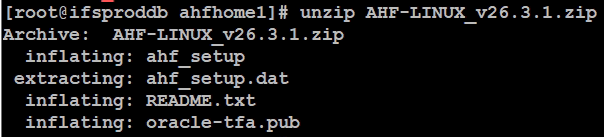
Unzip
Run
When running the setup, you might come across the error below
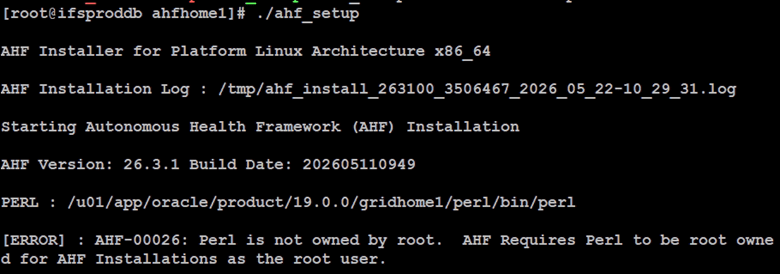
As it identifies path to perl from an existing Oracle installation base, root user may not have ownership on the parent directory
Workaround is to copy the original perl directory to an alternative location and use the copied path has the Perl home for AHF

Set copied directories’ (perl) permission (eg. 755) to avoid errors that may popup later on (such as below)

Ensure Pre-requisites are in place to avoid possible errors listed below


Run the setup after fixing the errors
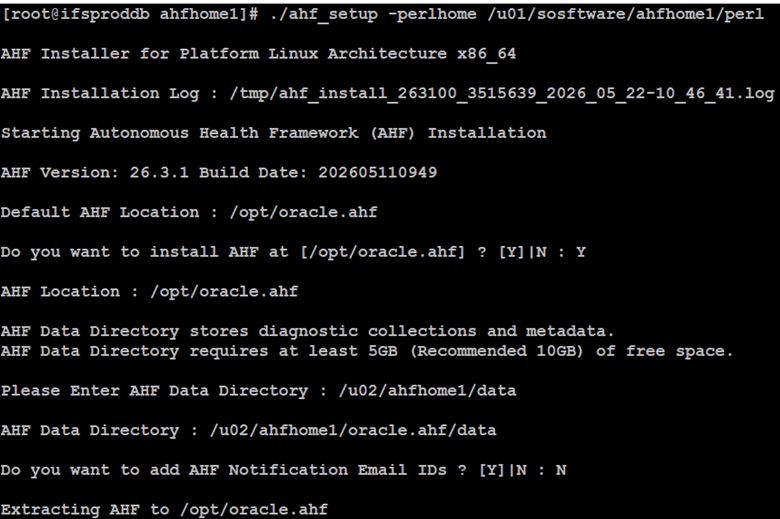
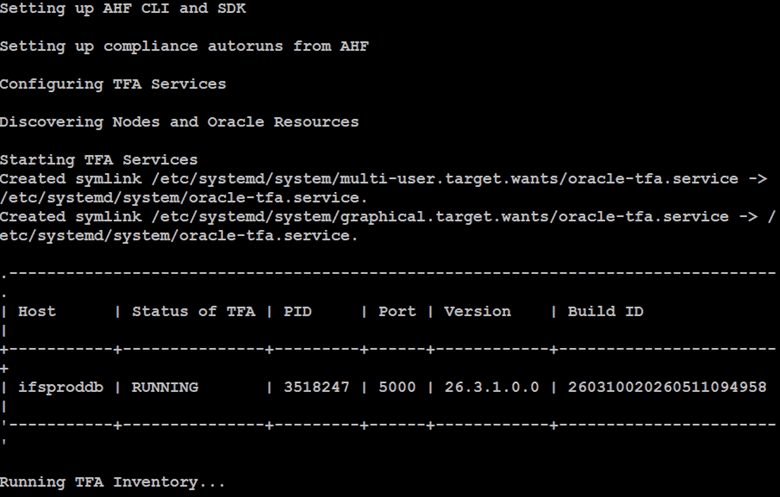
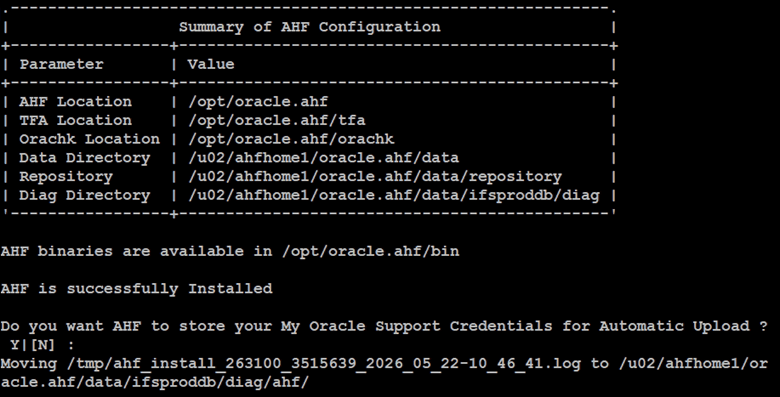
By default, ORACLE DB HOME and GRID HOME owners will be entitled to run the tools within AHF
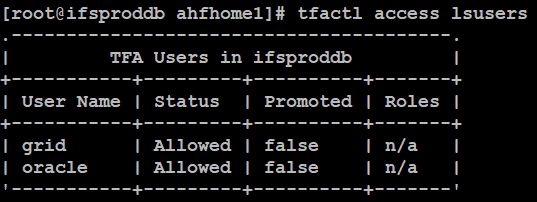
You are now ready to use TFA
Example, as grid user

 Oracle with Loku
Leave a comment