
(Fix errors and Install)
With the introduction of new Linux kernels, there had been challenges on ASM Filter drivers. Additionally, Oracle have de-supported ASMFD from 19.29 onwards, replacing the technology with ASMLIB V3. (Refer : Oracle Automatic Storage Management Filter Driver (ASMFD) KB125315)
In preparation for the EM RepoDB creation, I’ve first installed GI and DB binaries using 19.30 on OEL 9.
(I attempted to use ASMFD, but it failed. Oracle couldn’t recognize the disk during GI ASMCA. I completed the GI installation accepting the failed ASMCA setup)
ORA-15018: diskgroup cannot be created
INFO: [Feb 17, 2026 9:14:57 AM] Skipping line: ORA-15018: diskgroup cannot be created
INFO: [Feb 17, 2026 9:14:57 AM] ORA-15031: disk specification ‘/dev/sdc’ matches no disks
INFO: [Feb 17, 2026 9:14:57 AM] Skipping line: ORA-15031: disk specification ‘/dev/sdc’ matches no disks
INFO: [Feb 17, 2026 9:14:57 AM] ORA-15025: could not open disk “/dev/sdc”
INFO: [Feb 17, 2026 9:14:57 AM] Skipping line: ORA-15025: could not open disk “/dev/sdc”
INFO: [Feb 17, 2026 9:14:57 AM] ORA-27041: unable to open file
INFO: [Feb 17, 2026 9:14:57 AM] Skipping line: ORA-27041: unable to open file
Below steps were done after the completion of the 19.30 GI setup, failed at ASMCA configuration.
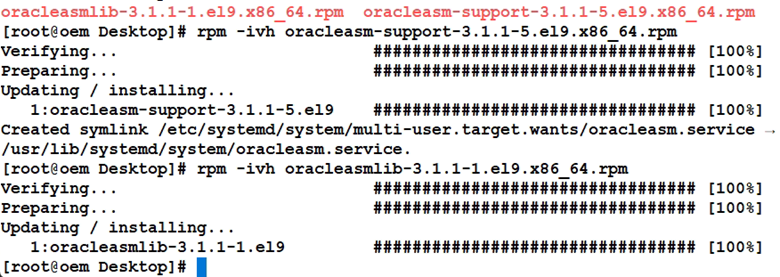
Install RPMS
Configure
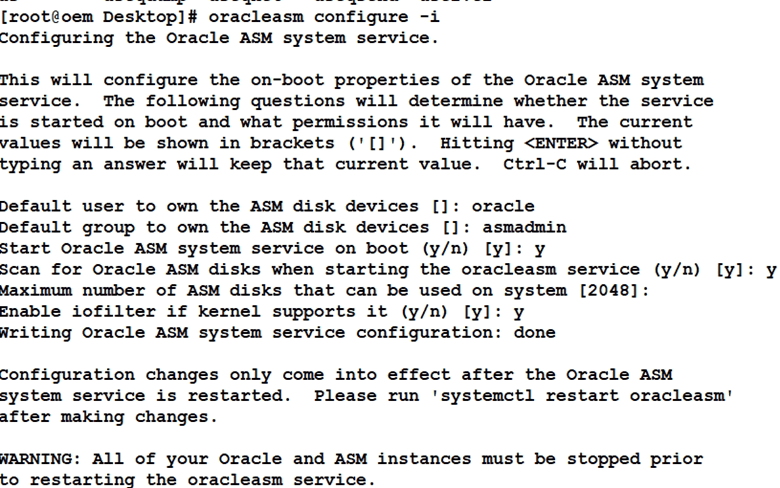
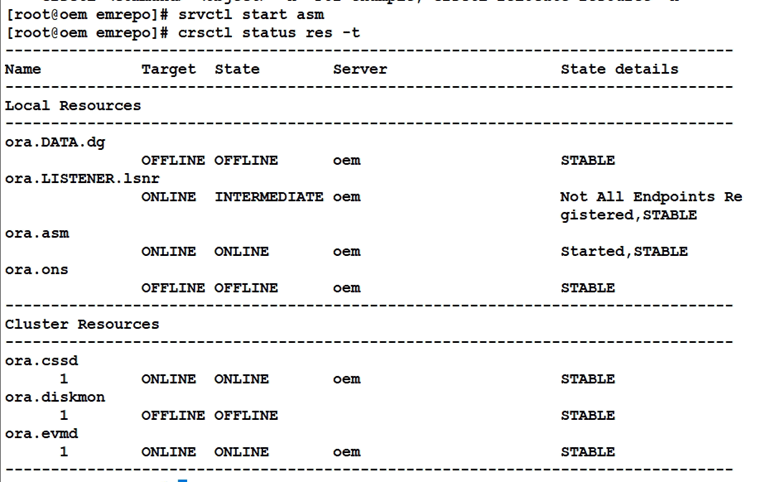
Start (as it failed previously)

Create disk

Note : disk need to be partitioned


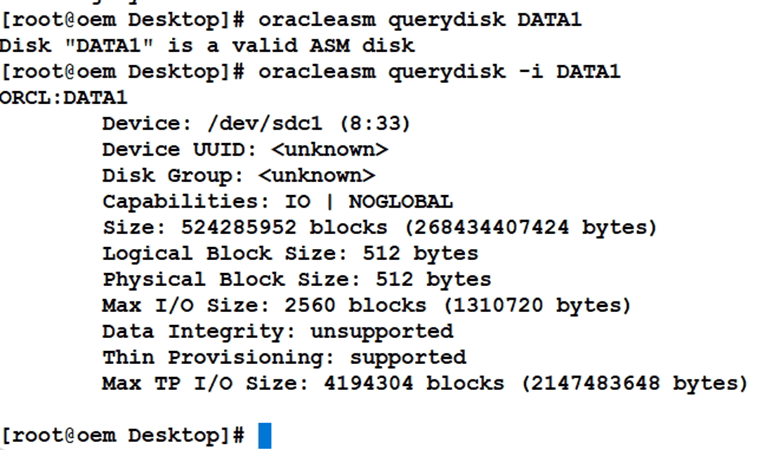
Query the Disk
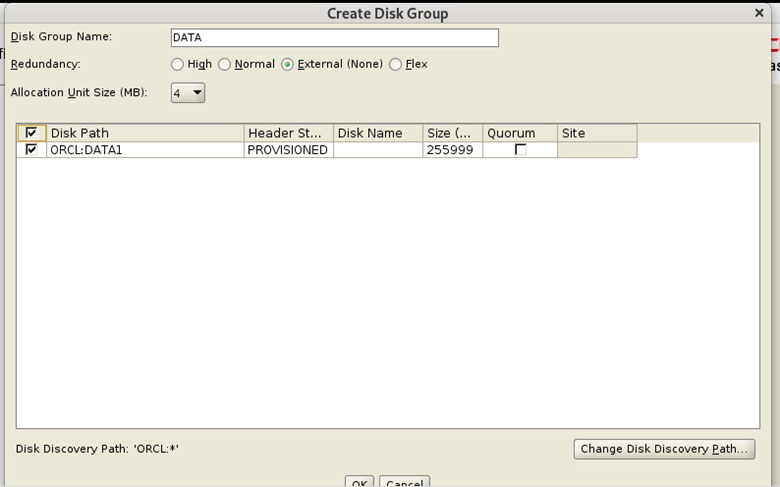
Start asmca as the Grid user and create disk group
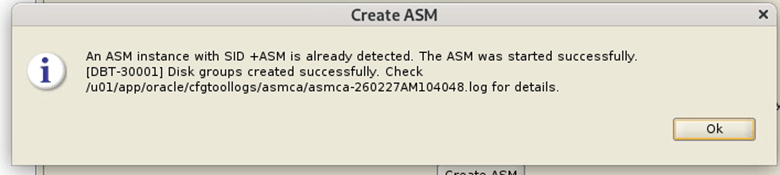
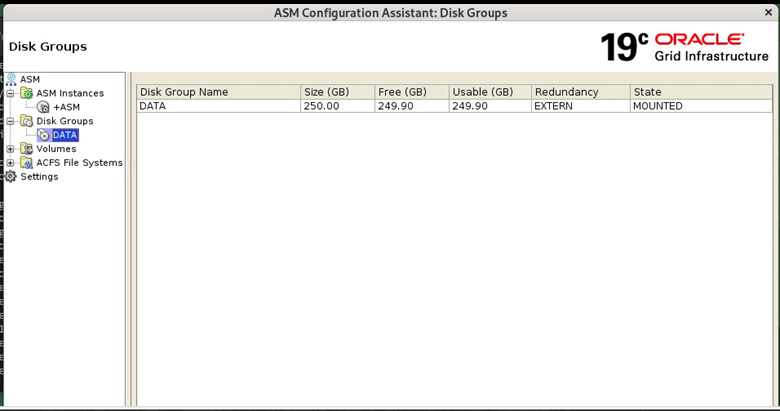
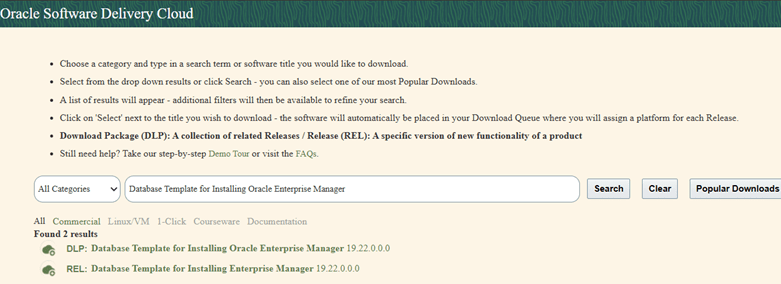
Note: I’ve downloaded the DB templates from Edelivery.oracle.com
Start DBCA and select the template
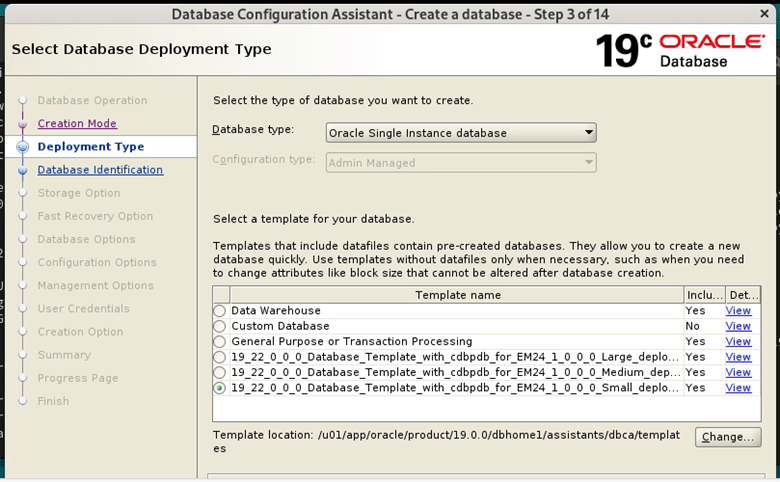
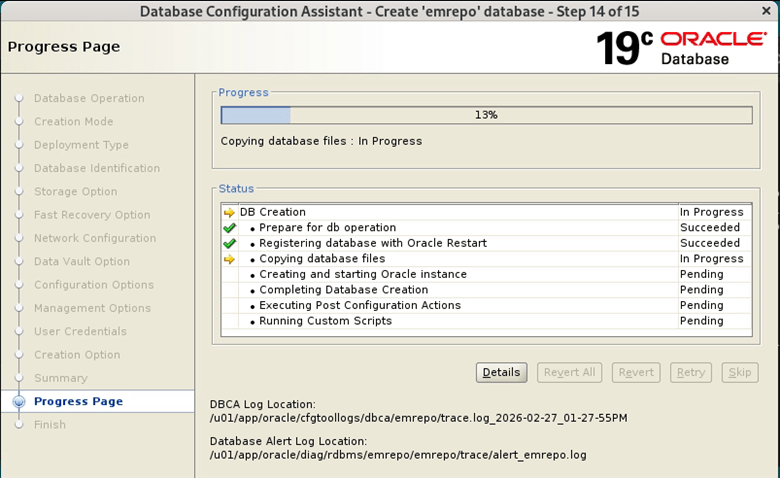
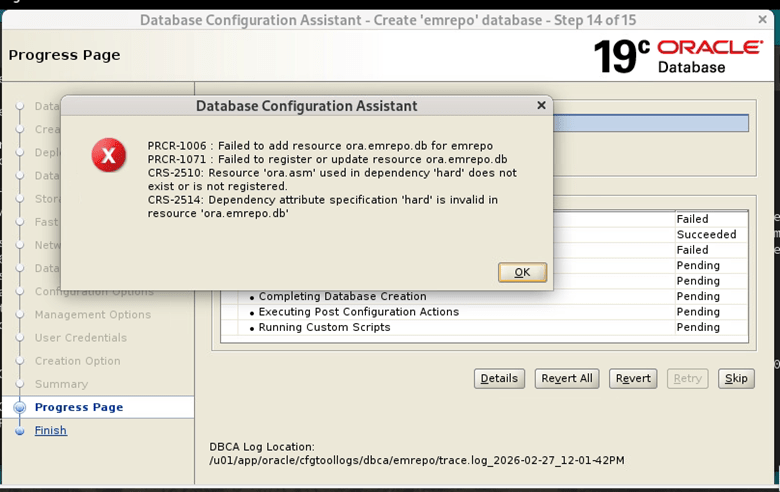
Note: Above error was fixed with the below steps
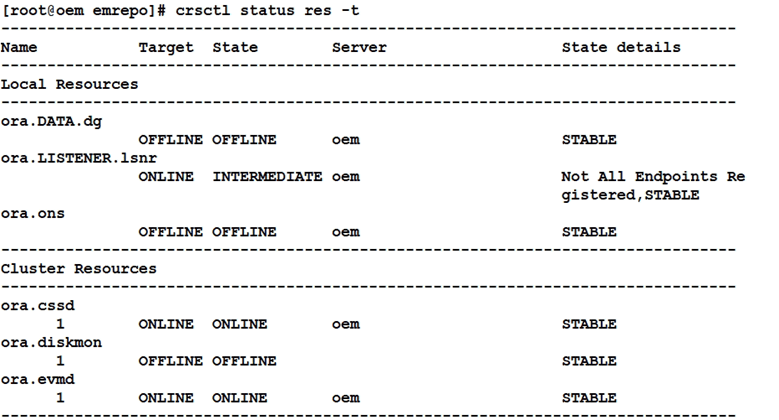
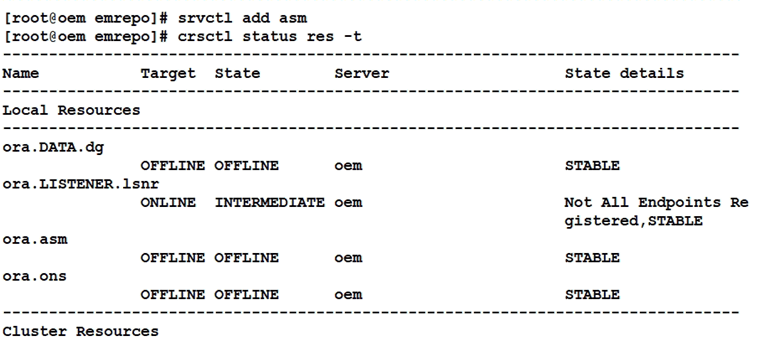
Add ASM and start
Oracle EM Repository Database is now available for EM 24Ai installation
 Oracle with Loku
Leave a comment